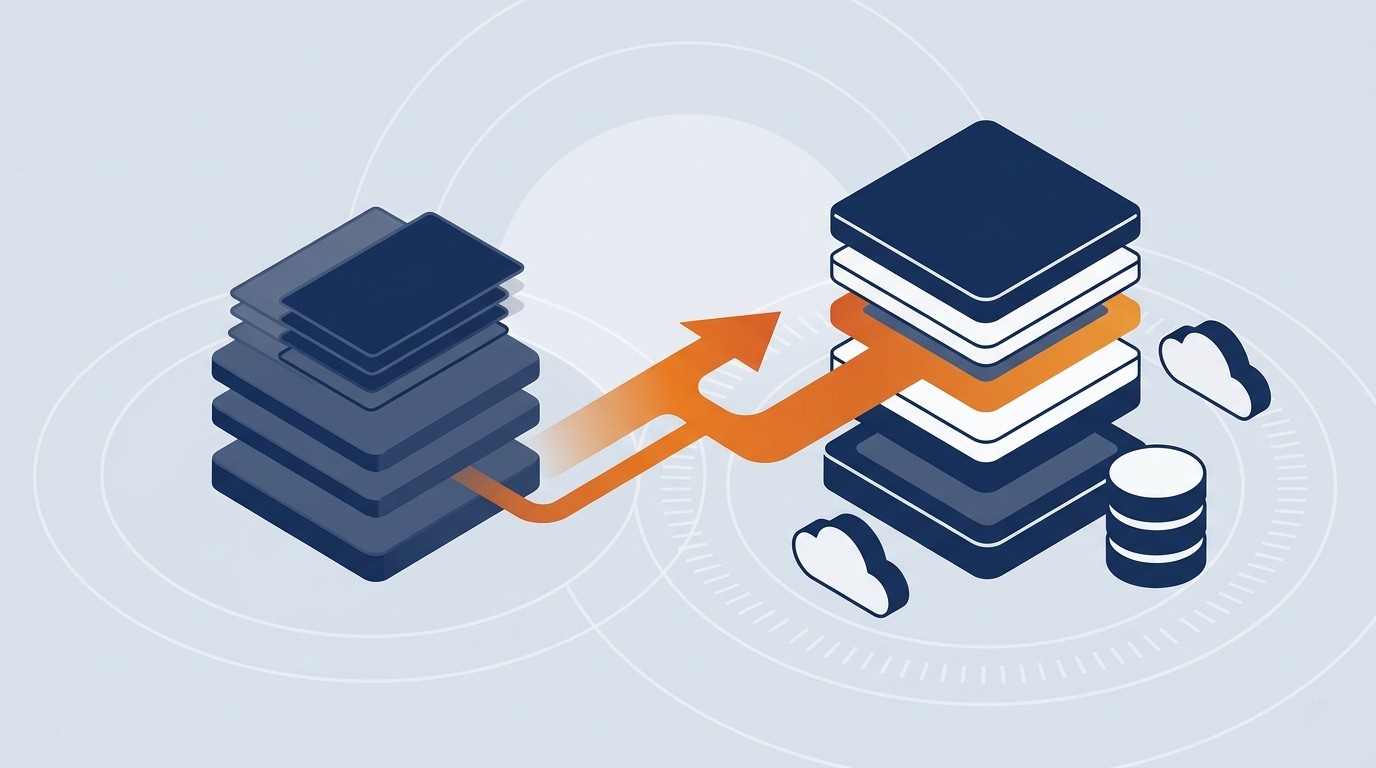
Moving Microsoft Access to web application architecture is a different kind of project than a FoxPro or Delphi migration. Microsoft hasn’t discontinued Access. It’s still included in Microsoft 365 and in Office LTSC 2024, and Microsoft 365 subscribers keep receiving updates. There’s no single end-of-life notice pushing every Access shop toward the exit at once, the way there was with Visual FoxPro.
But “still supported” isn’t the same as “still fit for purpose.” Access was designed in the early 1990s as a single-user, then small-workgroup, desktop database. Most organizations still running it today are asking it to do things it was never built for: dozens of concurrent users, remote and mobile access, integrations with modern business systems, and audit trails that satisfy a compliance team. The file-based Jet/ACE engine underneath Access hits real practical ceilings on concurrency and file size long before most businesses are ready to stop growing.
This guide was prepared by the Ticomix team based on hands-on experience modernizing Microsoft Access and other legacy business applications. It explains how an Access modernization project actually works, where these projects tend to go sideways, and how to plan one without disrupting the business processes that still depend on the database today.
Microsoft Access to Web Application: What Migration Involves
A Microsoft Access to web application migration moves a desktop Access database, tables, forms, reports, and the VBA logic behind them, into a browser-based system running on a modern backend such as SQL Server or Azure SQL. It’s not a single well-worn path the way a FoxPro or Delphi migration is. It’s a decision between three common destinations, depending on how far the application needs to go:
- Upsize the backend only. The Access database engine is replaced with SQL Server or Azure SQL, while users keep working in a familiar Access front end (linked tables). This solves concurrency and data-integrity problems without touching the user experience.
- Rebuild as a modern web application. The application is redesigned and rewritten as a browser-based (or hybrid web/desktop) system, typically on .NET, with the data layer moved to SQL Server or Azure SQL. This is the right call once multiple locations, remote users, mobile access, or outside integrations are part of the picture.
- Move into the Microsoft Power Platform. Data goes into Dataverse, and the interface is rebuilt as a Power Apps canvas or model-driven app. This suits organizations already standardized on Microsoft 365 and comfortable with a low-code approach to ongoing maintenance.
A typical full rebuild, which is the path this guide focuses on, includes four components:
- Data: Access tables (and the Jet/ACE engine) are migrated to SQL Server or Azure SQL, with data validated and cleaned in the process.
- Business Logic: Rules buried in VBA modules, macros, and query logic are rewritten in C# or another .NET language.
- User Interface: Access forms and reports are rebuilt as modern web (or hybrid) interfaces that work on any device.
- Integrations: The new application connects to today's business tools, including REST APIs, Microsoft 365, cloud services, and AI-powered workflows, in ways an Access front end generally can't.
For many organizations, an Access rebuild is the first phase of a broader legacy application modernization effort. It’s a chance to formalize a system that grew informally, often built by one person, on one machine, over several years, into something the whole organization can rely on and maintain.
If you’re comparing modernization approaches, see how legacy modernization vendors stack up before deciding on a path.
Why Now? The Case for Modernizing Access
Access doesn’t hand you a forced deadline the way FoxPro did. The pressure builds gradually, from a few directions at once:
The Support Window is Narrower Than It Looks
Older Access versions, 2016 and 2019, lost support in October 2025. Access 2021 and Office LTSC 2021 follow on October 13, 2026. Microsoft 365 subscribers and Office LTSC 2024 users have more runway, but the pattern is clear: staying current with Access means staying current with the broader Microsoft 365 ecosystem, and eventually with a platform Microsoft is no longer meaningfully investing in.
Microsoft's Own Investment Has Moved On
Access updates are largely maintenance and compatibility fixes at this point. Microsoft's product investment in this space is going into Power Apps and Dataverse, not into Access itself. That's a meaningful signal about where the platform is headed, even without a formal end-of-life announcement.
One-Person Systems Are a Business Risk
Most production Access databases were built by a single power user, sometimes years ago, sometimes by someone no longer at the company. There's typically no version control, no audit trail, and no real backup discipline. When that person leaves, the organization often doesn't fully understand its own system anymore.
The Concurrency and Scale Ceiling Is Real
Access was never designed for more than a handful of simultaneous users hitting a shared file over a network drive. Growing businesses run into file corruption, locking issues, and slow performance long before they hit Access's theoretical 2 GB file-size limit, usually well below 15-20 concurrent users, depending on how the database was built.
Better Long-Term Talent Availability
Finding a developer who can safely untangle years of VBA and nested queries in an inherited Access database is harder than it used to be. .NET developers, by comparison, are far easier to find, hire, and keep, which matters for whoever has to maintain the system five years from now.
Based on an analysis of Ticomix legacy modernization projects completed through 2025, development teams have reduced ongoing enhancement effort by approximately 40% after migrating legacy applications like Access to modern .NET architectures.
Should You Just Upsize the Backend Instead?
Not every Access application needs a full rebuild right away. If your database is used by a small, stable group of people, the Access front end still works fine for how people actually use it, and your main pain point is data integrity or occasional corruption, migrating just the backend to SQL Server or Azure SQL, while keeping the familiar Access forms, can solve the most urgent problems at a fraction of the cost.
A full web application rebuild tends to make more sense once one or more of these is true:
- People in more than one location, or working remotely, need reliable access
- Mobile access matters, even occasionally
- The database needs to talk to other business systems, such as a CRM, an ERP, or a reporting tool
- The user base has outgrown what a shared Access front end can comfortably support
- The business logic buried in VBA has become a liability nobody wants to touch
If you’re unsure which path fits, an Access Modernization Assessment can help you figure out whether upsizing, a full rebuild, or something in between is the right first move.
The Access Modernization Process, Step by Step
A structured process protects the business logic and workarounds that have quietly accumulated in the database over the years, while reducing the risk of disruption.
- Assess the Application. Access databases accumulate undocumented logic fast: a macro here, a bit of VBA there, a query someone wrote in 2014 that everything now depends on. Before any code changes hands, that logic has to surface. This phase typically includes:
- Reviewing forms, reports, and queries
- Mapping table relationships and data structures
- Identifying business rules embedded in VBA and macros
- Understanding how people actually use the database day to day
- Documenting any linked tables, imports, or external integrations
A thorough assessment often turns up shortcuts and workarounds that no longer need to exist in the new system.
- Design the Data Architecture. Access’s Jet/ACE engine handles data very differently from SQL Server. This phase focuses on designing a schema that fixes the data-integrity issues Access tolerated, including missing constraints, inconsistent types, and duplicate records, while preparing for the performance and concurrency the new system needs to support. Typical work includes:
- Designing the SQL Server or Azure SQL schema
- Cleaning and validating legacy data
- Enforcing relationships and constraints Access never required
- Preparing for reporting and future integrations
- Rebuild the Application. With planning complete, the application is rebuilt on modern technology. This typically includes:
- Rewriting VBA and macro logic in C#
- Building a modern web (or hybrid) user interface
- Replacing Access reports with modern reporting tools
- Implementing proper security and role-based access
- Connecting to APIs and cloud services as needed
Where AI helps: AI-assisted conversion can accelerate portions of this phase, particularly when analyzing years of accumulated VBA and query logic for patterns and business rules. Used correctly, AI improves developer productivity while experienced engineers validate the business logic and architecture. Learn more about Ticomix’s AI-assisted approach to code conversion.
- Test and Deploy. Before go-live, the new application is validated against real business workflows, not just whether it runs. Testing confirms that:
- Business rules behave the same way they did in Access
- Reports produce accurate, matching results
- Users can complete their actual daily tasks
- Performance holds up under real concurrent use
- Any integrations function correctly
Many organizations reduce risk with a phased rollout, especially when replacing a database that’s been quietly running the business for a decade or more.
Common Access Modernization Challenges
Most of the risk in an Access modernization project is predictable, and predictable risk is manageable risk.
Hidden Logic in VBA and Macros
Years of business rules often live in VBA modules and macros that nobody has fully documented. A thorough discovery phase is what keeps that logic from getting lost in the rebuild.
Inconsistent, Uncleaned Data
Access rarely enforces the data integrity that SQL Server expects by default. Duplicate records, inconsistent types, and orphaned relationships that Access tolerated for years tend to surface the moment the data moves.
The "One Person Built This" Problem
Many Access systems were built and maintained by a single person, often without formal development practices. That makes discovery slower and more important, since there's usually no one else who fully understands why a particular query or form works the way it does.
User Adoption
People who've used the same Access forms for years can be resistant to a new interface, even a better one. Involving actual users early, and preserving the workflows that work, goes a long way toward smooth adoption.
When Does an Access Modernization Make Sense?
Modernization is usually the right call when:
- The database supports operations that matter to the business
- More than a handful of people need access, or people need remote/mobile access
- Security or compliance requirements have increased
- The person who built or maintains the system is hard to reach, or has left
- Data integrity issues (corruption, locking, mismatched records) are becoming routine
- The system needs to talk to other business tools it currently can’t
When several of these are true, modernizing isn’t just a technical nice-to-have. It’s a business decision about risk, continuity, and where the organization wants to be in five years, and often the first phase of a broader modernization strategy that eventually touches other aging systems too.
FAQs About Microsoft Access Migration
Should we modernize now, or wait until something breaks?
Waiting rarely lowers the cost or the risk. Access databases that "still work" tend to keep working right up until a version update, a departing employee, or a corrupted file forces the issue on an emergency timeline instead of a planned one. Modernizing on your own schedule is almost always cheaper and less disruptive than modernizing in a crisis.
How do we know if we need a full rebuild, or just an upsized backend?
If your team is small, stable, and happy with the Access interface, and your main problem is data integrity or occasional corruption, upsizing just the backend to SQL Server or Azure SQL is often enough. A full rebuild becomes the right call once remote or mobile access, multiple locations, outside integrations, or a growing user base are part of the picture. A short discovery conversation is usually enough to tell which situation you're in.
Does using AI change the cost or timeline?
It can help, particularly during the assessment and conversion phases when analyzing years of accumulated VBA and query logic for patterns. Ticomix's REV methodology uses AI to accelerate parts of this work, which can shorten timelines and reduce cost, but it doesn't replace the human judgment needed to validate business logic and architecture decisions.
Is Microsoft discontinuing Access?
No. Access remains part of Microsoft 365 and Office LTSC 2024, and Microsoft 365 subscribers continue to receive updates. Specific older versions have reached end of support: Access 2016 and 2019 in October 2025, and Access 2021/LTSC 2021 on October 13, 2026, but Access itself is not being sunset.
How long does an Access modernization typically take?
Timelines depend on the size and complexity of the database and how much business logic is buried in VBA and macros. Smaller Access applications can often be modernized in approximately 8 to 16 weeks, while larger, business-critical systems with heavy customization may take 6 to 12 months or longer. A detailed assessment is the best way to get an accurate timeline for your specific database.
What does an Access modernization typically cost?
Cost depends on the scope of the application and which path you take. For a straightforward backend upsize or a simple application, cost can be as low as $10,000, ranging into the low six figures for larger, more complex systems with significant custom logic and integrations. We provide a fixed fee estimate after reviewing your database or walking through it with you.
Can an Access database be migrated in phases, and will our data survive the move?
Yes to both. Many organizations modernize one module or business function at a time, which reduces risk and lets users start benefiting from the new system sooner. Careful data cleanup and validation during the migration allow historical records and business relationships to be retained and verified in the new system.
About the Author
This guide was prepared by the Ticomix team based on hands-on experience extending and modernizing legacy business applications since 2001, including Access, Visual FoxPro, VB6, and Delphi systems.
Over the years, our team has helped organizations across industries preserve valuable business logic while modernizing legacy applications for improved scalability, integration, and long-term support. Examples include modernization projects completed for BP Aero, USC, and Lodeso. See our work.
Estimate Your Access Modernization ROI
Before committing to a project, it helps to understand both the cost of modernizing and the cost of staying on an aging Access database that’s already quietly costing you in support time and risk.
Within minutes, our Legacy Modernization ROI Calculator estimates:
- Support costs
- Productivity losses
- Modernization investment ranges
- Potential return on investment
The calculator is based on assumptions drawn from more than 25 years of legacy application modernization experience, helping organizations build a practical business case before starting a project.